You searched for social media help near you because you want someone who knows your town to keep your accounts current. Most of that job does not need someone nearby, because captions, images, scheduling and Google Business Profile posts can be done from anywhere. Only camera work and events need a person on site. A month costs $9 for software, $275 for a plan where a person reviews every post, or $400 to $2,000 for a freelancer (Upwork's sample billing, read November 2, 2026), and agencies that publish a price have a median entry price of $575 a month. Hire local only when you need someone on site most weeks.
Local knowledge comes from what you already wrote
The worry behind "near me" is fair. A post about your business should sound like it comes from your town, not from a template. That knowledge rarely needs an office down the street. It needs someone, or something, that reads what you already wrote about your work and your area.
A real example
This post was published through Boomp from the agent's own website. She is a listing agent on the West Michigan lakeshore and a paying customer, shown without her name.
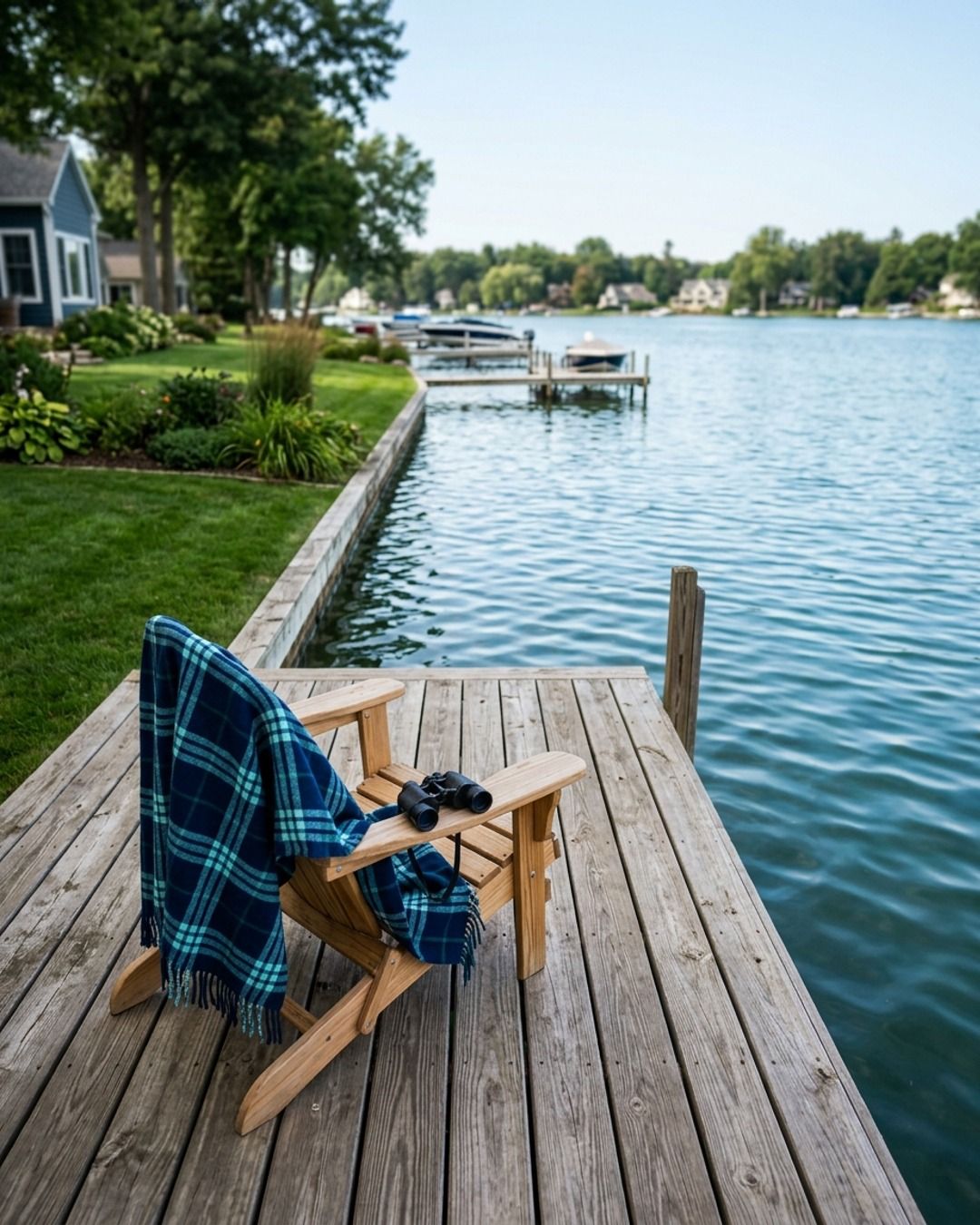
In Saugatuck, lakefront and waterfront are not the same thing.
The difference is worth hundreds of thousands of dollars, so you have to know which one you’re actually looking at.
Lakefront means the property line hits the water.
You own the frontage and you can stand on the shoreline.
Waterfront is a much looser term.
Depending on who wrote the listing, a home with a distant lake view, deeded access, or shared frontage three houses down can all be labeled waterfront.
Before you fall for a photo, check the survey.
You need to know exactly how many feet of shoreline come with the property, if that access is private or shared, and what the easements look like.
Those details dictate what you can actually do with the land and how it will appreciate over time.
A view and frontage are two very different assets.
The price should reflect what you’re actually getting, not just what the description says.
If you’re looking at a listing and the language feels vague, send it over.
I’ll help you pull the survey and see what’s actually on the deed.
The post names the town and a distinction worth hundreds of thousands of dollars to a buyer there. Detail like that is what makes a post useful to people nearby.
What needs someone on site, and what does not
Split the job before you search. Most owners find that only one or two parts need a person who can drive to the business.
| The work | Needs someone on site? | Who can do it |
|---|---|---|
| Photos of your shop, team and finished work | Yes, or you with a phone | A local photographer, a staff member, or you |
| Video of a job, a class or a walkthrough | Yes | A local videographer, or you with a phone |
| Covering an event or an opening | Yes | Someone who attends |
| Captions and images about your work | No | Software, a freelancer or an agency, from your website |
| Local detail: neighborhoods, seasons, events, service area | No, if it is written down | Anyone who reads your website and your starting brief |
| Scheduling and publishing | No | Software or any provider with access to your accounts |
| Google Business Profile posts | No | Software or any provider with access to your profile |
| Replies to comments and messages | No, but it needs your answers | You, or a provider you trust with your answers |
| A planning meeting | Helpful, not required | A video call covers most of it |
If the rows marked "Yes" matter to you most weeks, a local provider earns its fee. If they matter a few times a year, book a local photographer for those days and hire the rest from anywhere.
Why the nearest result is not the best one
When you search for a business near you, Google shows local results on Maps and Search. Google says local results are "mainly based on relevance, distance, and popularity", and that distance "refers to how far each business is from the customer who's searching" (Google Business Profile Help, read November 18, 2026). So the first listing is partly there because it is close to you. It tells you who is nearby, not who does good work for a business like yours. Read past the first few results, and judge each provider by the feeds it already runs.
What it costs, by who does the work
Compare by who does the work and how much of it there is. These are monthly figures, with their sources.
| Who does the work | What it costs a month | What you still do |
|---|---|---|
| You, with a scheduler | Your time, plus a scheduler (median $32 a month for one business on three channels, boomp.net pricing study) | Write every post, make every image, publish |
| Software that writes from your website (Boomp Packs) | $9 | Publish the ten finished posts yourself |
| Software that writes and publishes (Boomp Pro) | $79 | Approve each post in the app |
| A person reviews software-made posts (Social, handled) | $275 | Connect your accounts from a link we send, and send news and photos when you have them |
| A freelancer | $400 to $2,000 for two channels (Upwork, read November 2, 2026) | Brief them, answer questions, approve |
| An agency | A median of $575 to start, among the agencies that publish prices (boomp.net pricing study) | Brief them, approve, pay ad spend separately |
| A local photographer for a shoot | Quoted per shoot | Book the day and pick the photos |
The Upwork figure is its sample billing for an intermediate, US-based specialist managing two channels for a small business. In the pricing study, 11 of the 20 agencies showed no price at all, so expect to ask for a quote.
How to find social media management near you
- Write the job down. Note the posts a week, the channels, whether you need photos or video, and whether anyone will answer comments. A clear job gets comparable quotes.
- Search, then read past the top three. Use Google Maps and a plain web search with your town's name. Open each provider's own social accounts, not only its website.
- Ask owners you already trust. Other business owners nearby, your chamber of commerce or a local business group can tell you who runs their accounts. Look at those accounts before you call.
- Check a current client feed. Ask which feeds they run now and read the last month of posts. Posts from this month tell you more than a portfolio page.
- Get a written scope with numbers. It should list posts per month, channels, who writes, who approves before anything publishes, how many on-site visits, and whether ad spend is separate.
- Ask who owns the accounts. You should own every social account, your Google Business Profile and the photos. A provider should have access, not ownership.
- Price the on-site part separately. If a local provider bundles a monthly shoot, ask what the fee is without it. That shows you what the posts alone cost.
Questions to ask a local provider
A local provider brings a few questions that a remote one does not.
- Do you work with other businesses like mine in this area? Some owners want a provider who knows their trade, and some do not want their provider writing for the shop across the street, so decide which you are before you ask.
- How often will someone come on site, and is it in the fee? "Local" can mean a monthly shoot or a provider who never visits.
- Who learns my business if my contact leaves? Ask where your brief, your photos and your answers are kept.
- What do you need from me each month? A provider who needs an hour of your time every week costs more than the invoice says.
- How will you report results? Ask for calls, messages and inquiries, not only likes and followers.
For the wider hiring questions, see how to hire a social media manager. For when an agency retainer is worth it at all, see social media marketing agencies for small businesses.
When local is worth paying for, and when remote is enough
Local is worth the fee when you need fresh photos or video of your place most weeks, such as a restaurant, a salon or a builder showing jobs in progress. It is also worth it when you run events or classes that should be covered as they happen, or when meeting in person matters enough to pay for.
Remote is enough when your website already explains what you do and what customers ask, and you can take a few photos yourself or book a photographer a few times a year. Then the job is keeping your business looking open and current, and that does not need a weekly visit.
This is also who Boomp does not suit: if the main job is weekly photos and video on site, hire a local provider for it. Boomp has no local office and does not include photo or video shoots on any plan, though you can add your own photos.
What stays with you
Whoever does the work, the facts stay yours. Check prices, hours, service areas and offers before posts go out. If a provider writes from your website, keep the website current too. Get permission before a customer's photo, name or home appears in a post. If you work in a regulated field, such as health care, law or finance, keep auto approval off so every post waits for your yes.
Choose the work you want handled
Packs at $9 a month sends ten finished posts with images, written from your website, by email link. You publish them yourself, with nothing connected.
Pro at $79 a month includes 28 posts a month, four of them short videos, and the post mix changes over time. They are published to your connected social profiles and Google Business Profile, with Google Review monitoring and performance notes. You approve each post before it goes live, unless you turn on auto approval. Core at $39 a month includes 22 posts.
Social, handled at $275 a month gives you the Core posts with Kathleen, Boomp's founder, reviewing every post before it publishes, and help with social setup. You connect your accounts from a link we send and do not need to open the app. For a local business that also wants Google Business Profile updates, a review-request process sent to every customer and a new or improved search page each month, Local marketing at $900 is the plan we recommend; it covers one business at one location. Marketing partner at $1,800 adds a second search page, one customer email, one offer page or promotion and a monthly planning call. Both start with a 15-minute call, and the work is agreed before payment. No plan includes ads or ad spend, replies to customers or reviews, or photo or video shoots. The done-for-you plans are 90-day plans, billed monthly, and you can stop any month.
Start with ten finished posts from your website, with images, a carousel and a short video, sent by email link with no account or card.