You can schedule Instagram posts for free in two places Meta owns: inside the Instagram app, on a public account, and in Meta Business Suite on desktop or mobile, if your Instagram is connected to a Facebook Page. Both let you pick a date and time and walk away. A paid scheduler like Buffer or Later adds other channels and a shared calendar, from $5 a channel a month at Buffer or $18.75 a month billed yearly at Later as of September 16, 2026. Software like Boomp goes one step further and writes the posts, from $9 a month, and on Core schedules them too. The rest of this page gives the steps for each route, the limits Meta publishes, and the honest part: scheduling moves the moment a post goes live, it does not fill the blank page.
Which way to schedule, by who does the work
| Route | Who writes the post | Who makes the image | Who presses schedule | Cost | Best for |
|---|---|---|---|---|---|
| Instagram app (public account) | You | You | You, on your phone | $0 | One account, posting from your phone, Instagram only |
| Meta Business Suite (desktop or mobile app) | You | You | You, with a calendar view | $0 | Facebook plus Instagram, a month planned at once |
| Third-party scheduler (Buffer, Later) | You | You | You, across channels | Buffer free for 3 channels or $5 a channel a month; Later from $18.75 a month billed yearly (Sep 16, 2026) | LinkedIn, TikTok or Pinterest in the same queue |
| Software from your website (Boomp Packs) | The software, from your site | The software | You, in any free tool above | $9 a month | You will schedule, you never want to write again |
| Software from your website (Boomp Core) | The software, from your site | The software | Boomp publishes after you approve each post in the app | $39 a month | You want the whole job handled and will approve each post in the app |
| Software with a person approving (Boomp done-for-you) | The software, from your site | The software | Boomp's founder approves; Boomp publishes | $275 a month | You never want to open the app |
The first three rows schedule a post you already have. The last three make the post. That is the whole decision.
Route 1: schedule inside the Instagram app
This is the fastest route if you post from your phone and only care about Instagram. The steps and limits below are read from Meta's Instagram Help Center article "How to create and manage scheduled posts and Reels on Instagram" on September 17, 2026.
Before you start. Meta's article says you must have a public account on Instagram. If your account is private, the schedule option will not be there.
The steps.
- Tap Create, then select Post or Reel.
- Choose your media and tap Next.
- Add the caption, and any effects or filters.
- Tap More options.
- Turn on Schedule this post or Schedule this reel, and pick the date and time.
- Tap Done, then Back, then Schedule.
Scheduled items live under Scheduled content in your profile menu, below Your insights and tools. Tap Options next to a post or Reel to delete it, edit it, reschedule it or share it now.
The limits. Meta's article says you can schedule up to 25 posts a day, up to 30 days in advance. It covers Reels, photos and carousel posts. It does not mention Stories; the Business Suite mobile app lists Stories as a type you can schedule, so use Route 2 for those. The date picker in your own app is the final word, and it takes ten seconds to check.
Route 2: schedule from Meta Business Suite
Business Suite is Meta's free management tool for a Facebook Page and the Instagram account connected to it. It gives you a calendar, drafts and a desktop keyboard, which is why most owners who plan a month at a time end up here. The steps below are read from Meta's help pages on September 17, 2026.
Before you start. Your Instagram account must be connected to your Facebook Page, and you need full control or the Content permission on both.
On desktop.
- Go to Meta Business Suite and click Create post, from the home page or the Content tab.
- Under Post to, select your Instagram profile, your Facebook Page or both.
- Under Media, add your photos. Meta's page notes the limit for posting to Instagram is 10 photos.
- Under Post details, write the text. You can customise it separately for Facebook and Instagram.
- Under Scheduling options, select the date and time. Active times suggests slots based on the last seven days of follower activity.
- Click Schedule, or Finish later to save a draft.
In the Business Suite mobile app.
- Tap Content in the bottom menu and choose Posts, Reels or Stories at the top.
- Tap Create, add text and media, and tap Next.
- Tap Schedule for later, pick the time and date, and tap Schedule.
Scheduled content shows in Planner.
The limits. Meta's Facebook Page help says a Page post scheduled through Business Suite publishes "between 20 minutes and 29 days away". That line is written for Facebook Page posts; the Instagram app's own window is 30 days. Plan about a month at a time and let the date picker settle the exact edge. Stories and Reels can be scheduled here as well as posts.
Route 3: a third-party scheduler
If Instagram is one of four channels, a scheduler puts them in one queue. Two prices, read from the vendors' pricing pages on September 16, 2026:
- Buffer. The free plan covers up to three channels with ten scheduled posts per channel. Essentials is $5 a channel a month, or $60 a channel billed yearly. The full breakdown is in our Buffer pricing guide.
- Later. Starter is $18.75 a month billed yearly, about $25 month to month, for one social set of up to eight profiles, one of each platform. The rest of the plans are in our Later pricing guide.
The full cost comparison across Buffer, Publer, Metricool and Later is on the cheapest social media scheduler page. This page is the Instagram-only walk; if you want every channel connected to one tool that publishes for you, the multi-platform version is how to schedule social media posts automatically.
What a scheduler does not do is decide what Tuesday's post is about. You still open the tool to a blank box.
What scheduling does not solve
Every owner who searches "how to schedule Instagram posts" is trying to solve one of two problems.
The first is timing: you are busy at 11 AM on weekdays and want the post to go out anyway. Every route on this page solves that, and the free ones solve it completely.
The second is consistency: you meant to post twice a week and the account has been quiet since spring. Scheduling does not solve that, because the queue only publishes what someone put in it. A Buffer queue with ten empty slots and a Business Suite calendar with nothing on it are the same thing as not scheduling.
The work that stops most small businesses is the writing. Deciding what to say about a roofing company or a dental practice on a Tuesday, saying it in a caption that sounds like the owner, and finding an image that is not a stock photo. That is a different job from scheduling, and it is the one that costs the time.
If your calendar is empty because you never got to the writing, the fix is not a better scheduler. The posting schedule guide covers how to set a cadence you can actually hold, and the caption guide covers what the words have to do. Or you hand the writing to something that starts from what you already published: your website.
Route 4: software that writes the posts, then schedules them
Boomp is software. It reads your public website, your services pages, your about page and your FAQ, and writes Instagram posts about your business: the caption and the image, plus a carousel and a short video on paid plans. Because the source is your site, the posts are about your neighbourhoods, your process and your answers, and could not run for the business down the road.
Here is one it wrote for a listing agent on the West Michigan lakeshore, from her own website, shown without her name.
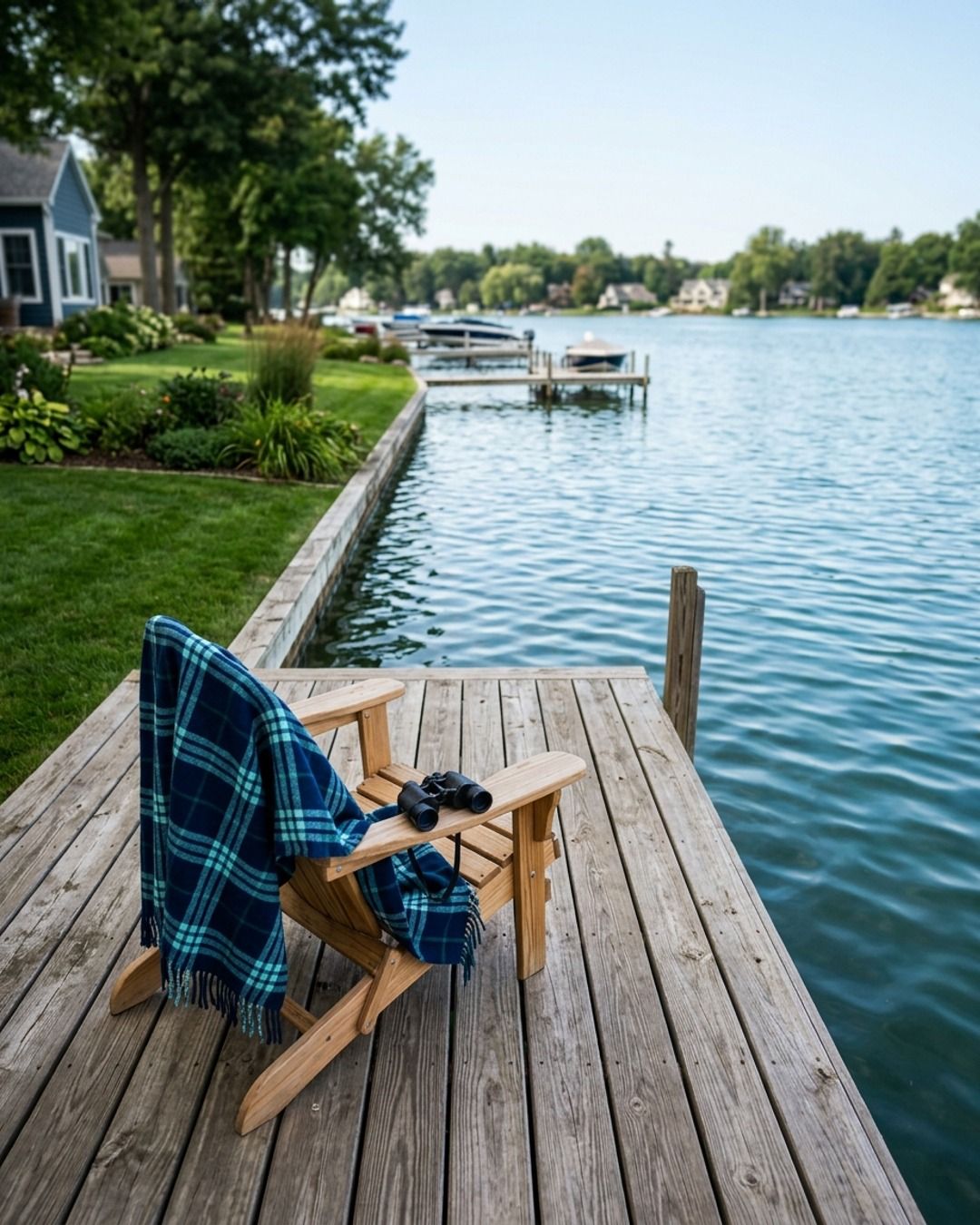
Nobody scheduled a blank slot for that post. The software wrote it, and the post carries a distinction a lakeshore buyer needs.
How it fits with the free tools above depends on the plan. On Packs, the ten posts arrive by email link and you schedule them yourself in the Instagram app or Business Suite; nothing is connected. On Core, you connect Instagram and your other channels, approve each post in the app, and Boomp publishes it on the schedule. On done-for-you, Boomp's founder approves and you never open the app.
An Instagram posting schedule you can hold
If you are going to fill a queue yourself, the cadence matters more than the clock.
- Two posts a week is the floor most owner-run accounts can keep for a year, including the slow months.
- Pick the two days now and schedule a month in one sitting, inside the roughly 30-day window Meta's tools give you.
- Post the time-sensitive things live: a new listing, a closure, a special. Scheduling is for the other posts, the ones that keep you in front of people until it is their turn.
- Check the queue on the first of the month. An empty queue in week three is how accounts go quiet.
The exact times matter less than people think. Active times in Business Suite is a fine default, and any regular time beats an irregular perfect one.
What stays with you
Whoever presses schedule, three things do not leave your hands.
Perishable facts. A price, a date, a "we're open Saturday". A post scheduled a month out can be wrong by the time it publishes. Read anything with a number in it the day before it goes live, or keep those posts live.
Permissions. A customer's photo, a before-and-after, a testimonial. Get the yes before it enters any queue.
Regulated claims. Medical outcomes, legal advice, fair housing language for agents. Whoever approves the post carries that check; on Boomp Core that is you, and on done-for-you it is Boomp's founder, who approves every post before it publishes.
The three doors at Boomp
Every Boomp plan starts the same way: the software reads your website and writes the posts. The price follows how much of the scheduling job you keep.
- Packs, $9 a month. Ten finished posts by email link. You schedule them in the Instagram app or Business Suite. Nothing connected.
- Core, $39 a month. Twenty posts, one carousel and one video, published to Instagram and your other connected channels after you approve each one in the app.
- Done for you, $275 a month. The same content, with Boomp's founder approving every post. You never open the app. Not an agency: no ads, no replies. The $900 and $1,800 service plans add Google profile, website and search work.
No contract on any of the three. Plans and prices are on the pricing page.
Before any of them, the free door: ten finished posts made from your own website, with images, a carousel and a short video, sent by email link with no account or card, so you can see whether the writing is good enough to be worth scheduling.