You want to make social posts from the chat and need to decide whether you want a design to edit or a finished caption and image. Keep Canva MCP if you want to create designs, reuse templates or change the layout. If you already have a public website and want a finished post from those facts, look for a connection that makes both parts of the post. Boomp's invitation-only agent product can make that caption and image. You still review and publish the files.
A real example
This is real Boomp agent output for Spoke Test Workshop, a fictional bicycle shop. The request asked for a post about checking a bicycle chain and supplied the business facts. The agent page shows this same output.
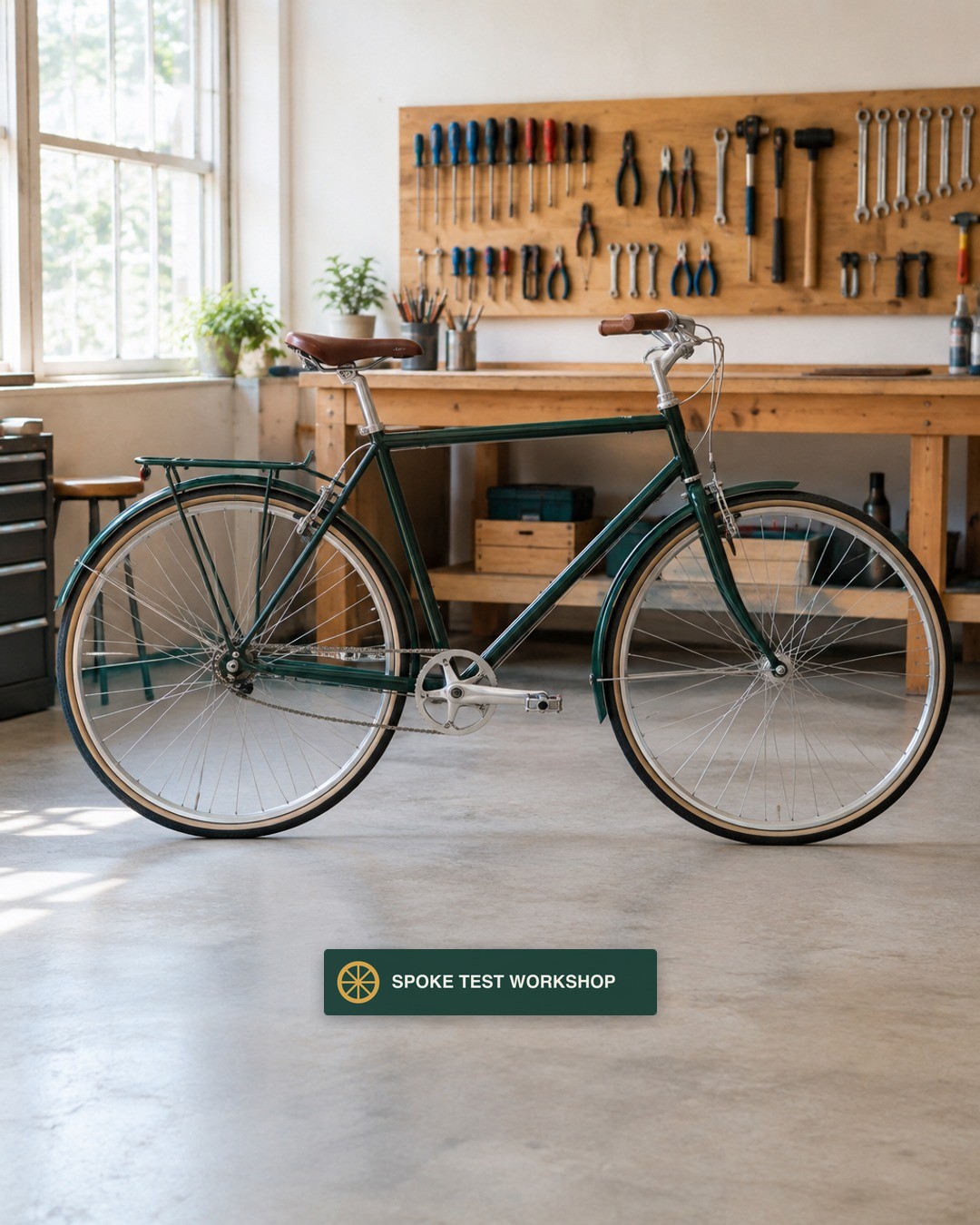
Not sure whether your bicycle needs a new chain?
We measure chain wear with a chain wear gauge. We show you the reading and explain what it means for your bicycle before we recommend replacement.
Bring your bicycle to Spoke Test Workshop for a chain check.
You can check the whole post at once. If the shop needed editable layouts for a poster, an email and several graphics, that would be a design job with different files.
What you get back
| Job | Canva MCP | Boomp agent connection |
|---|---|---|
| Create a design from a brief | Canva documents editable designs and chat previews. | You receive a caption and a finished image with a receipt. |
| Reuse a style | Find your designs or use Brand Templates with eligible plans and assistants. You supply the data the template needs. | The service can read your public website and reuse saved business facts, voice and brand details. |
| Keep working on the layout | Open the editable result in Canva and make the changes you need. | Check the returned files. If you need layout control after delivery, use a design editor. |
| Move a final file out of the tool | Canva lists export actions for files including PNG. | Download the caption and image. You publish them yourself. |
Canva's listed actions and connection guide were read November 19, 2026. The guides describe creating designs, working with existing files and exporting from the connector. The connection is available on Free. Canva Free gives you the connector without Brand Template search or autofill. Canva also excludes Pro Lite from autofill. On a plan that includes the action, check that your assistant supports it. If the main decision is about the Canva subscription or editor, read Canva Pro alternative.
An example with the same business facts
Say a repair shop has a current service page that explains its chain check. The shop already uses one approved layout for upcoming events. For an event graphic, give Canva the date, title and layout the shop wants to reuse. Check whether the assistant gives you a file you can keep editing before you ask it to make more. For a standalone post, give a caption and image tool the public service facts and the customer's question. Check that the result makes a useful point and that the image and caption say the same thing. This is a worked example. The two outputs serve different jobs.
Try one job in both workflows
- Choose a single service from your public website and one question buyers ask about it. Confirm that the source still applies.
- For Canva, give the assistant your design brief and an approved image or brand template if you have one. Open the result in Canva and check what you can edit.
- For a caption and image connection, give it the same service and question. Read the full caption and open the file to check what you can use right away.
- Change one detail and ask for the exact revised result. Time what you still do yourself, including checking the final image and caption.
- Pick the deliverable you would buy again. Choose an editable design when that is what the business needs. Choose finished files when the work stops at filling a calendar.
Check the formats your assistant and plan can create or export. Keep credentials and private customer information out of design briefs. Check your rights to the logo and photos and approve the final claim before you publish.
Frequently Asked Questions
What does Canva MCP do for social media posts?
Canva's connector guide read November 19, 2026 says it can create an editable design from a brief, find existing work or export a design. Supported actions depend on your plan and assistant. Use it when you want a Canva design you can keep editing or a file exported from a design you already use.
Is the Canva MCP connector free?
Canva says its AI Connector is available on Canva Free as well as paid plans. Some template actions have plan restrictions. Before paying, check whether the design, template and export action you need work in your assistant and plan. On a team, an admin can control access.
Can Canva MCP use my brand templates?
Yes, for eligible plans and assistants. Canva's setup guide describes searching Brand Templates and filling them with the data you supply. Check the template has the fields you need and that you can export the design. Keep your own review step for product claims, dates, prices and permission to use photos.
What is the difference between Canva MCP and Boomp's agent product?
Canva's connection can create or work on an editable design inside Canva. Boomp's invitation-only service uses saved business facts and returns a caption and a finished image with a receipt. The agent product makes one single-image post at a time. Choose based on the deliverable you want and who checks the facts.
Do the connections publish my social post?
Boomp's agent product returns files you publish yourself. In Canva's MCP action list read November 19, 2026 we found creation, editing and export actions. Check the current tool and your account before you rely on any separate publishing workflow. The monthly Boomp app with connected publishing is a different product.
What can I try before choosing an agent connection?
Start with one approved service description and a picture you have permission to use. Check whether the result includes the right facts, sounds like your business and can be put to use. If you want a website-based sample without setting up the agent, submit your site and email for ten finished posts.
When you want the caption and image together
The Boomp agent docs and agent page, read November 19, 2026, describe one caption and an image at 1080 by 1350 pixels. They can use saved facts from a website read. The agent page lists a pack of 1,000 credits for $12, with 100 for one finished post and 50 to read a new website once. There is no subscription or automatic refill. You handle publishing. Request access and name the agent you use. Access is by invitation and the button opens an email.
If you prefer to have the posts made from your site, submit your website and email to get ten finished posts free. The email link opens image posts, a carousel and a short video, with no account or card required.